Saturday, 24 August 2019

buttons galore

I have just created a new file in canvas and it shows you how to make your own embellishment buttons.
Stack them to give them that 3D effect and then you can have buttons that match your projects exactly.

This is how the file turned out:


As always here are the links to the free files in FCM format here and SVG format here.
If you would like to learn how to create this sort of file then head over to my You Tube channel at by following this link.
Please do not sell my files individually or as bundles but feel free to download them and use them in your projects.  Tell your crafty friends where to find me.  Thanks for your continued support and I will be producing more videos soon.
Happy crafting love Beverleigh 10 xx

Friday, 16 August 2019

Geometric hexgons to die for !!!!

In my latest You Tube video I take you through the process of making a geo hexagon type "die".  Clearly this is for the scan n cut and is not an actual die.  
I have noticed that these geometric back drops are particular;y on trend at the moment, this is what the files looks like:


This is the card that I made using the files that I created:


I have made this card as a thank you to the nurses who have looked after me since I had my operation in July.
If you would like to learn how to make the file then head over to my You Tube channel where I take you through the process step by step.

As always you can download the file for free in FCM format and SVG format.
Please do not sell my files but feel free to make whatever you wish, direct your friends here so that they can download them too.
Happy crafting love Beverleigh 10 xsx

Light up it's Christmas!!!

Hi crafty friends this is a little bit different for me in that I didn't use the scan n cut at all to make this card.
What I did do was create a card that has a light up element in it.  I use a most effective way to do this as I think that the Chibitronics are very expensive as are the tattered lace bright lights.
I will link to the supplies I used so you will know what you need to get if you felt like giving this a try!


In the video below you can see the card lighting up:


I think that these cards are loads of fun!!
The supplies you need can create 20 cards for less than £9 hese are the link to the circuit supplies needed:

LED  for 100

Batteries for 20

Copper tape  1 30m roll

You will have plenty of LEDs and copper tape left so you would just need more batteries if you want to make more.

As you can see Chibitronics only give you enough to make one project, or £10.

Unfortunately, at this time I cannot find any Bright Heart lights for sale.

If you want to follow along then check out my You Tube tutorial here

Tuesday, 13 August 2019

Inside outside faux stitched frames and matting layers

Hi all just a quick video for you on how to create faux stitched inside and outside matting layers and frames.

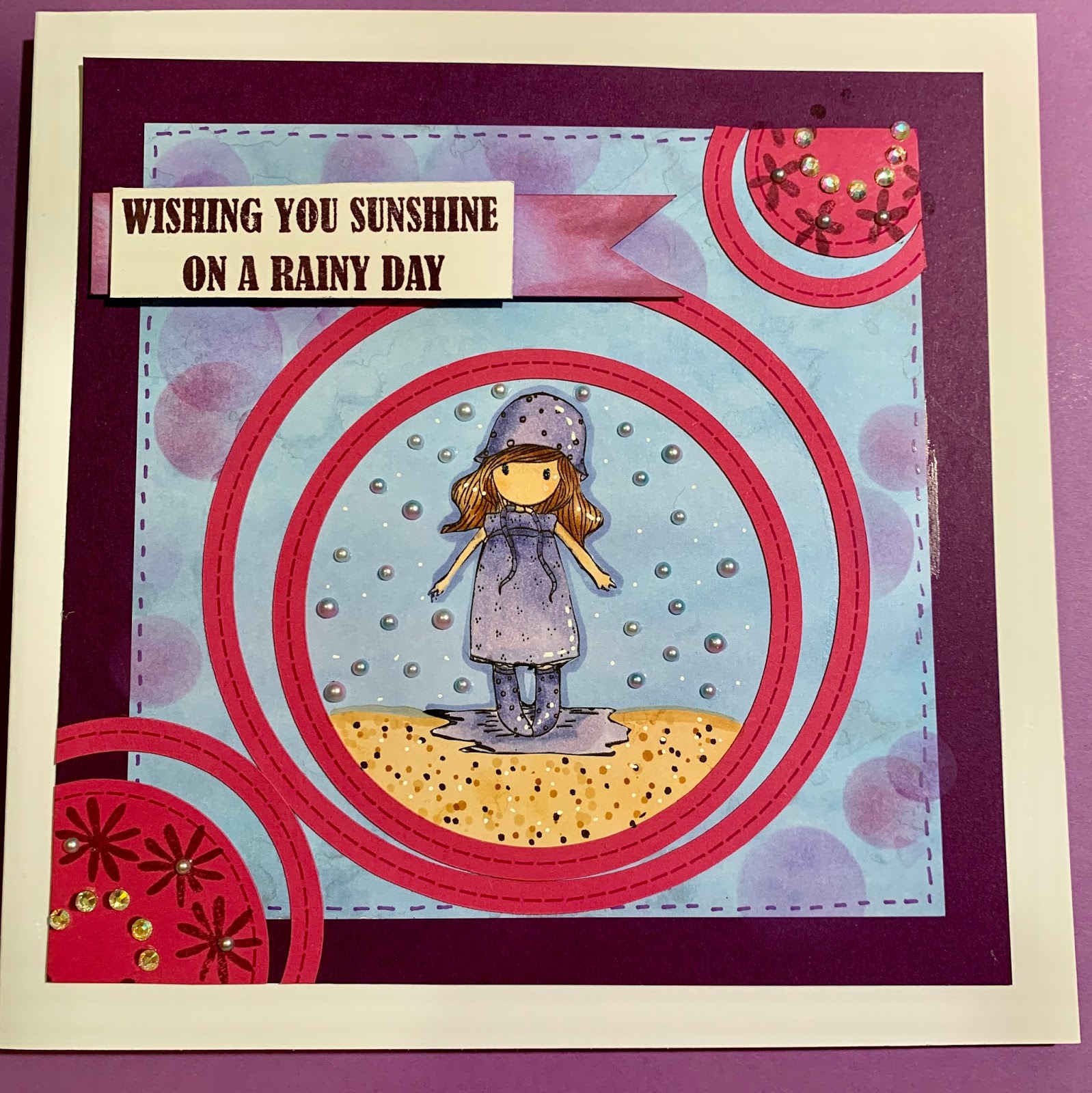
This is the card that I made used the file that I created:


I use the frames to create the concentric circle look and then some of the matting layers as interesting shapes around my design.  I continued with the circle theme of the card and used the waste to mask off a circle then used oxide inks to to blend and added a bokeh type effect before sticking a matting layer with stamped greeting.
The stamp is part of the Santoro Gorjuss range and the stamps for the greetings are by Stamps By Me a UK company.
The vide showing the technique of how to make the file can be found here:  as always the file can be downloaded here in FCM format and here in SVG format
The technique can be replicated with practically any shape so the process itself is invaluable. 
As always feel free to download and create with the file but please do not sell the files individually or as part of a set.  I would appreciate your comments below and please feel free to follow my blog.  incidentally if you do head over to You Tube to watch the video then please like, share and subscribe.
Thanks for tuning in and Happy Crafting love from B10. xx

Friday, 2 August 2019

Instamatic camera card with surprise slider - selfies galore

Hi all my lovely crafty friends thanks for following my blog and telling your friends where to find me.
I have been working on this creation lately and I think that it came out super cute:


On my You tube channel I have uploaded a video that shows you how to make these files and as always you can download the file for free here in FCM format and here in SVG format.
I hope that you will enjoy making this card and its loads of fun.
If you want to know how to assemble the card then I have a You Tube video showing you how here.
You can also watch the file creation video here
As usual please do not sell any of my files in any format but feel free to download and make up projects, then do as you wish with them.
Please follow my blog and subscribe to my You Tube channel if you don't already do so as this encourages me that people are enjoying what I am creating.  Tell your crafty friends where to find me, Love, hugs and happy crafting Beverleigh 10 xx

Monday, 22 July 2019

Peek a boo lift the flap style!!

Hi loads of fun with this one, brilliant for the boys in our lives!!
I'm still having daily dressings/treatment and I am healing its just going to be. along slow process.
At least schools out for the summer now, so I have more time for craft.
Take a look at the the two cards that I have created with this file here:


Flap closed


Flap open


I created the file using Canvas Workspace downloadable version.

This is what the file looked like in the software program:

You can download the SVG file here:  and the FCM file here:

Please do not download and sell my files but feel free to download and make projects yo your hearts content and its up to you what you do with them.

If you are interested in how to make the file then please head over to my You Tube channel here: where I take you through the process step by step.

This is not difficult to do and it does show you how how to achieve a partial cut.
Please remember to like, share and subscribe.


Wednesday, 17 July 2019

Porthole underwater scene (seems holes are the order of the day)!!

Hi guys I've missed you all so much whilst recovering from my emergency surgery on Sunday 7th July 2019, to remove two rather large and nasty abscesses, thank goodness for the NHS, You can feel that they are stretched to the limit but the care I have received before and after has been outstanding.  I am still having my dressings changed daily and this will continue for several weeks as the wounds have to heal from the inside out, people that are squeamish please scroll on by right now.  Have included the picture of one of my wounds as this is also my family diary of significant events. LOL Ouch ouch xx

I had a lot of fun with this one.  I used my brand new distress oxide inks (I don't have them all yet!) and I managed to resist the temptation to buy them but I caved in and WOWEO I adore them, they are even easier to blend than the original distress oxides.  Blending has never been so easy, oxide ink coupled with toothbrush style makeup brushes (very similar to the 'life changing brushes'), I'm ashamed to say that I have used this type of brush to apply my makeup for a couple of years and never thought of using them to blend ink - until I saw the Picket Fence brushes.  I really did not want to spend so much on blending brushes, so a used one of my make-up brushes just to check it out and the rest is history.  I ordered another couple of sets of brushes cost me about £10 for both sets on Amazon (though the package arrived from China so took a couple of weeks to get here), just to make you aware if you were thinking of ordering any brushes. You can find them on Amazon here  this is what they look like:

I didn't think I would use the really small ones but they are great at getting into the nooks and crannies, when using stencils.
I then stamped and cut out my images (using my Scan n Cut, obviously) and got on with creating the scene.
What do you think?  I love it! (I will blow my own horn now and again LOL)


This is how the porthole file came out with the added extras:

I can see me using this for many of the men and little men in my life.  I'm thinking a lighthouse scene for my husband, as when we stay up at Roker (the coast in Sunderland) which is close to where my son lives in Washington, we stay in a lovely little B&B called "The Chaise"(canine friendly) and the sea view rooms overlook the lighthouse, my Hubby often takes our little Bella for a walk to the lighthouse before breakfast.

I hope that you will give it a try at making the file for yourself, as it really is a simple file to create and the skills you will learn will set you up for your own projects you can find a link to the You Tube video here.  However, as always for those of us who don't always have the time of course you can download the file for free here in FCM format and here in SVG format 
I look forward to reading your comments.  
As always please do not sell my files, individually or as a bundle but feel free to download them and make them into your own projects and recommend me to your friends, if you find my files and videos useful.
Many thanks and happy crafting love Beverleigh 10 xx